If emails are not loading in real time on a Google Groups board, work through the checks below. Most causes are in Google's settings rather than in Drag.
Available on: Chrome extension · Web app · Desktop app
Is there a rule auto-archiving emails to the group?
A Gmail filter that skips the inbox for that group stops its emails from loading. Some other Chrome extensions create auto-archiving rules on install, so you may have one even if you did not set it up.
- In Gmail, open Settings, then See all settings.
- Open Filters and blocked addresses.
- Search for "skip inbox" and check for any rule that archives emails to that group.
- Remove those rules.
Are email notifications on for the group?
Emails only load if notifications are on for the group.
- Sign in to Google Groups.
- Open My Groups and select the group.
In the Subscription column, make sure Each email is selected.

Is the board owner a member of the group?
The board owner must be a member of the group for the board to work.
Check the board's members (the owner is the first user listed, without a remove option).
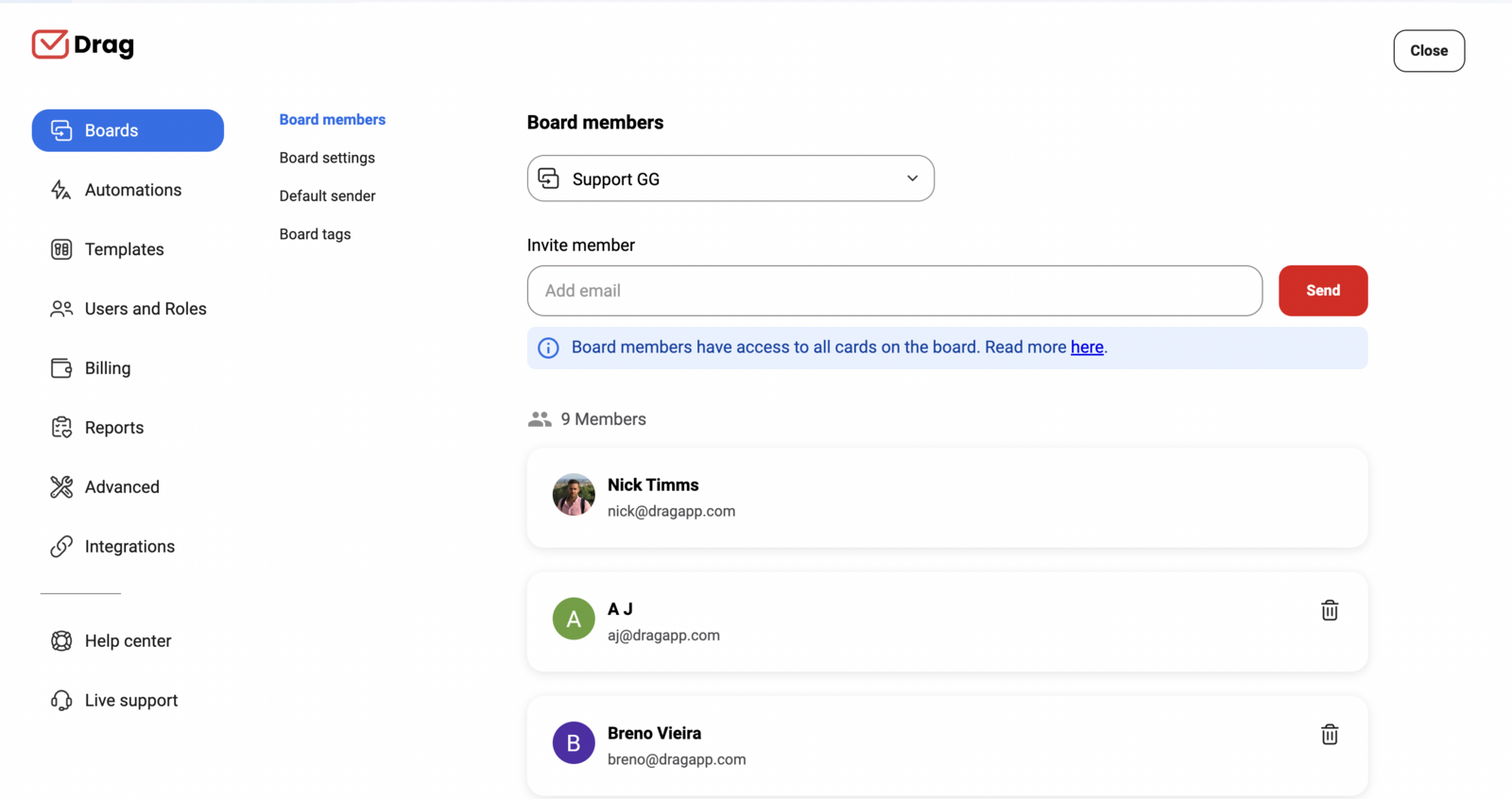
Then confirm that same user is a member of the group in Google Groups (they do not need to be an owner of the group, only a member).
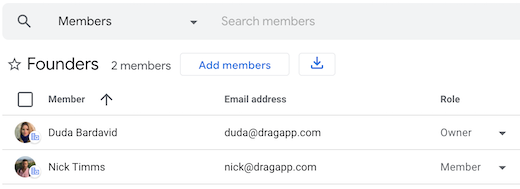
If the owner is not in the group, either add them to the group, or delete the board and have a group member recreate it so they become the new owner.
Are you sending test emails as a group member?
Gmail does not deliver a message you send to a group you belong to back to your own inbox, so your own test emails will not load on the board. Send test emails from an external account instead.
Did the group's email address change?
Changing the group's email address can stop emails loading. Either remove the board and add it again with the new address, or (if you are the owner) create an automation to route mail to the new address onto the board.
Did you use another Chrome extension before Drag?
Other Gmail-modifying extensions can interfere with Drag. See does Drag conflict with other extensions.
Are the group's emails going to spam?
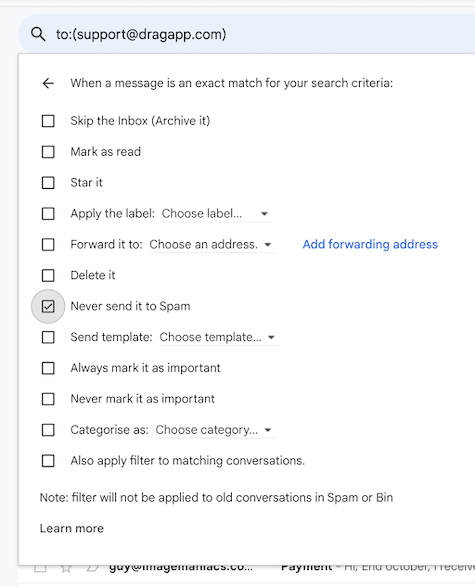
Gmail may flag some group emails as spam, so they never reach the group. The group owner should add a filter in their Gmail to keep emails to that group out of spam.
If emails still do not load after these checks, contact us at support@dragapp.com.