To send WhatsApp messages through the WhatsApp Business API, you must have a valid payment method in your WhatsApp Business account, even if you stay within the free conversation allowance. This article explains how to add one.
Available on: Chrome extension · Web app · Desktop app
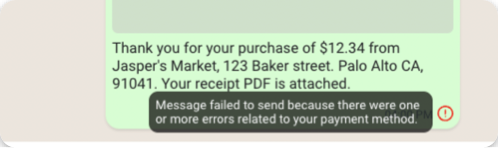
If you try to send a WhatsApp message from Drag without a valid payment method, you will see an error like this one:
Add a payment method
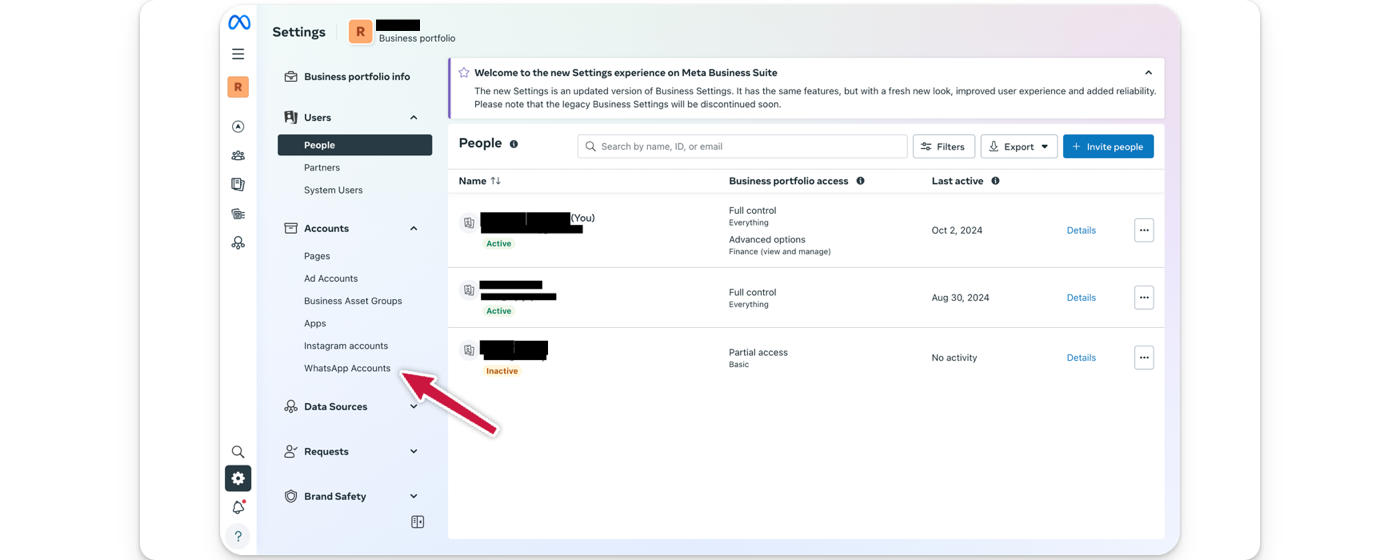
Go to your Facebook Business account and select Settings, then WhatsApp accounts.
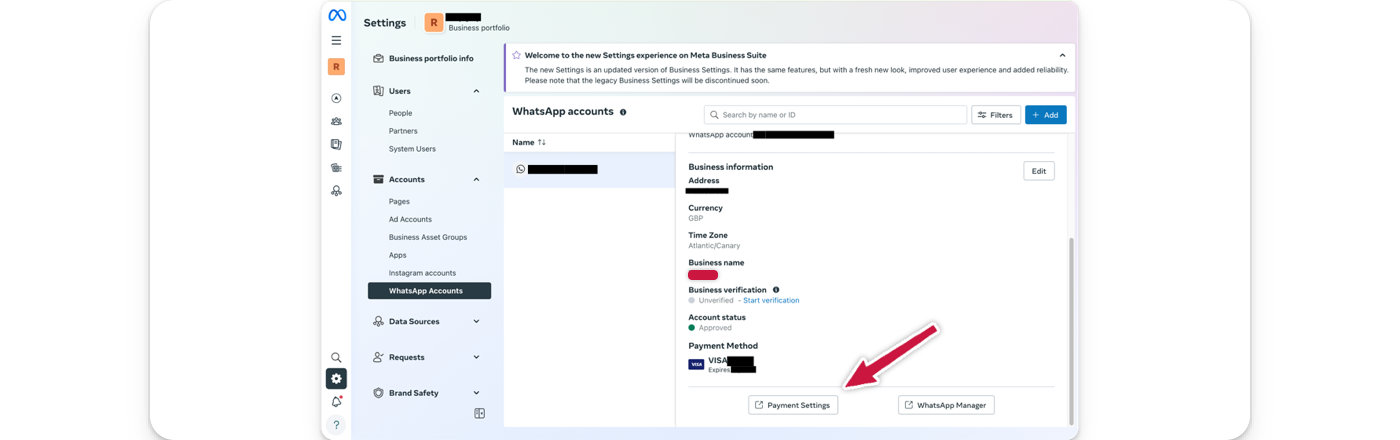
Select the WhatsApp account you want to update, then select Payment Settings at the bottom of the page.
In the new tab, check for any errors with your current payment methods. To add a new one, select Add payment method.
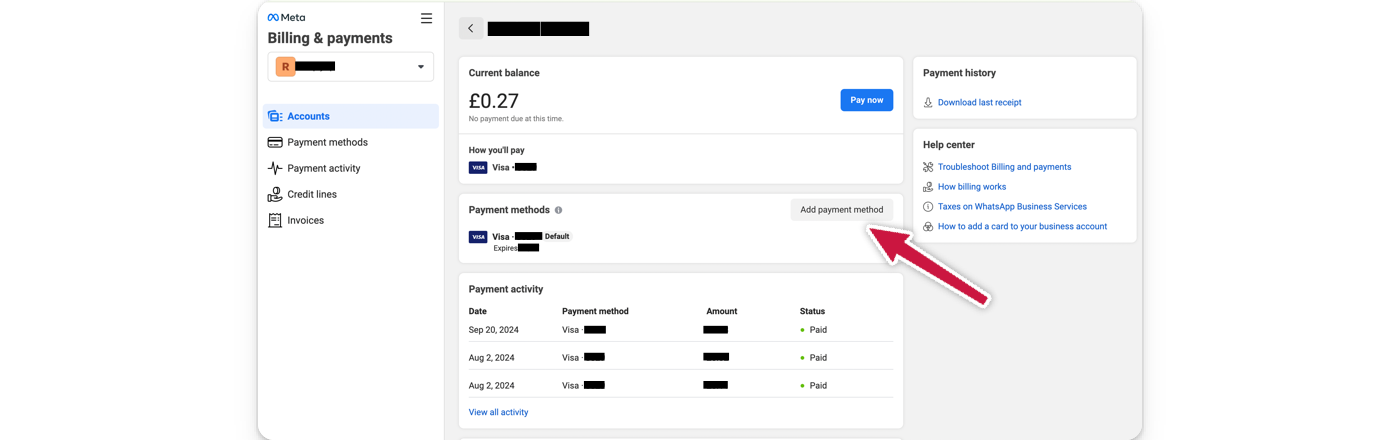
- Follow the prompts, verify the card, and add your business information to register the payment method.
- Go back to Drag and try sending your message again.
For details on how WhatsApp charges for conversations, see Meta's WhatsApp Business pricing.