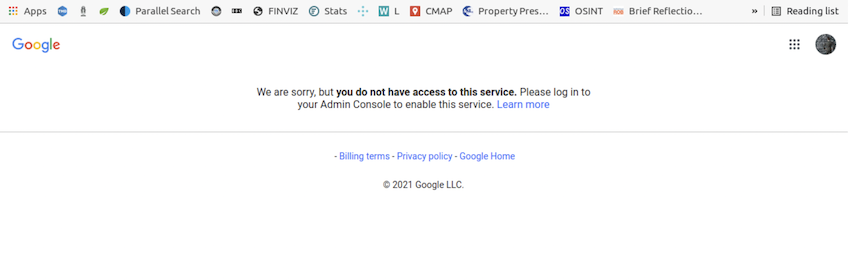
If you see "We are sorry, but you do not have access to this service" from Google while installing Drag, your Google Workspace is blocking the Chrome Web Store. A Workspace administrator can fix it.
Available on: Chrome extension
Note: You need to be a Google Workspace administrator to follow these steps. If you are not, send this article to your administrator.
Turn on the Chrome Web Store
- Sign in to your Google Workspace Admin console.
Go to Apps, then Additional Google Services.
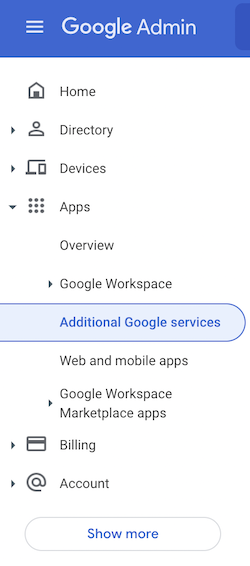
Set Chrome Web Store to ON for everyone.

Your users can now install Chrome extensions, including Drag, from the Chrome Web Store.